Notarized by Apple · Free during beta · macOS, Apple Silicon

Heavy media,
light work.

Still babysitting 400 GB uploads in a browser tab? Portage moves heavy media between cloud and drives — fast, verified, no terminal. Built native for the Macs that cut film.

Checksum verification Google Drive + Dropbox Menu bar progress Rclone powered
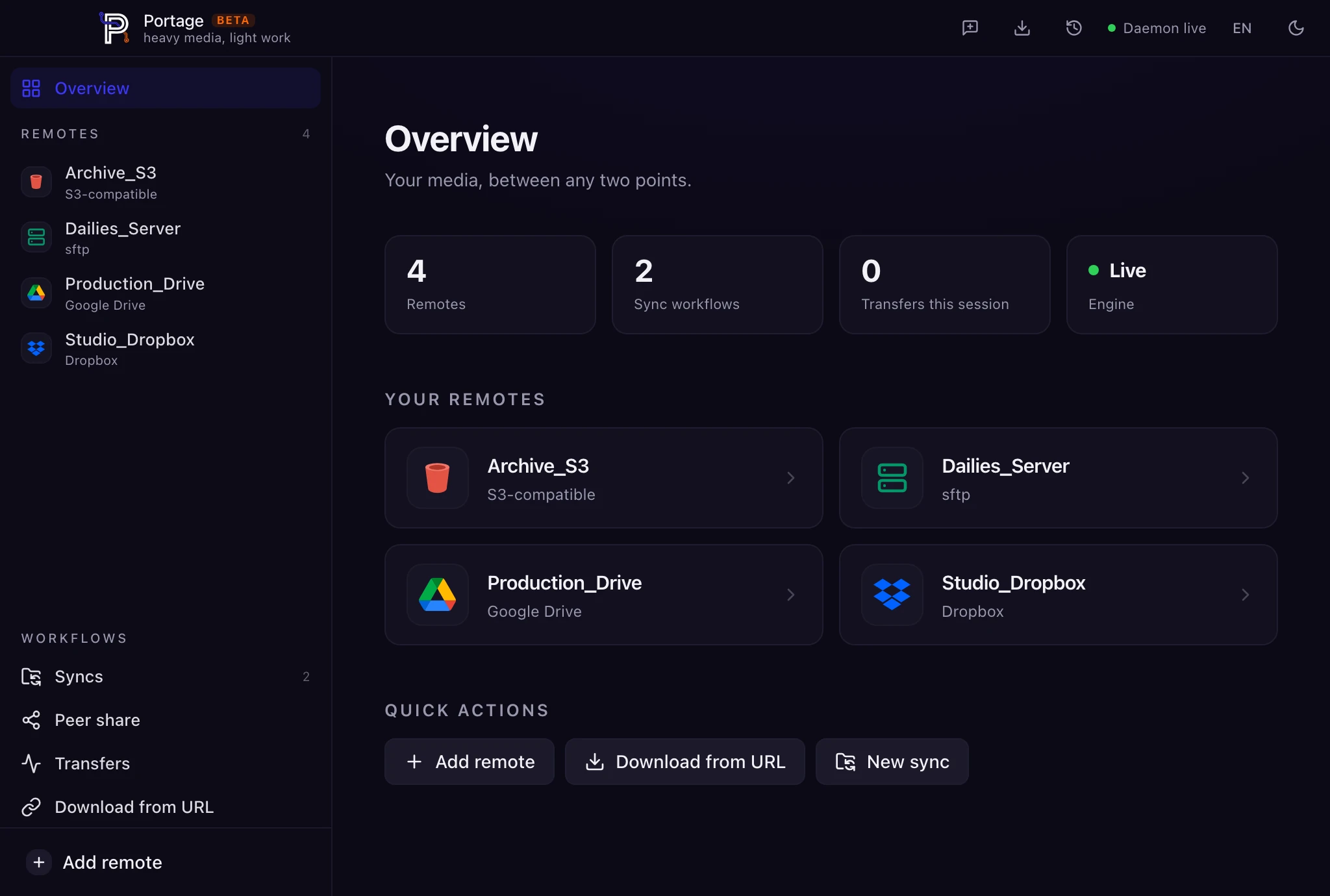
Portage macOS app — Overview dashboard with connected remotes
Transfer running 274.8 GB · 74% · 18 min left
Why Portage

Built for media teams that move huge files every day.

Portage wraps heavy-duty transfer infrastructure in a native Mac interface. It keeps the power, removes the terminal, and makes verification part of the workflow.

Delivered means proven.

Any transfer, any time after: one click re-checks every byte against the destination, hash by hash. Know your footage arrived bit-perfect — before you wipe the cards.

Verification is never paywalled. Trust shouldn't cost extra.

Lives in the menu bar.

Kick off a transfer and get back to your timeline. Progress lives on the Dock icon and in a menu bar mini-dashboard — per-file speed, percentage and ETA, one click away.

Done? The menu bar tells you. Mismatch? It tells you louder.

Mac to Mac. No cloud between.

Two machines, one network — or one Tailscale. Portage moves media directly over SFTP, no upload-then-download round trip, no storage bill for the privilege.

The color suite gets the master. The cloud never sees it.

Your files never touch our servers.

Portage moves data directly between your Mac and the storage you connect. Credentials and OAuth tokens stay on your machine. No analytics, no tracking.

The only network calls Portage itself makes are update checks.
The rclone engine, tamed
0

clouds.
Zero terminal.

Portage drives the same battle-tested engine trusted by sysadmins for a decade — wrapped in an interface made for people who'd rather be editing.

Google Drive and Dropbox are two clicks and an OAuth away.

The other 67 are in the same menu. Connect storage, choose origin and destination, start moving. No scripts. No memorized flags. No fragile browser sessions.

Google DriveDropboxOneDrive S3BoxSFTP BackblazeFTPWebDAV
Open beta

It's a beta. We're saying so.

Portage is in open beta and free while we polish. The feedback button is built into the title bar — what you report shapes what ships.

Auto-updates itself Apple notarized Beta testers lock launch pricing
Private by design

Your files never touch our servers.

Portage moves data directly between your Mac and the storage you connect. Credentials and OAuth tokens stay on your machine. No analytics, no tracking.